iWish
Manual
This is the manual for iWish 1.1. If you use another version, you may encountered some changes in the screenshots and usabilty.
The first time you launch iWish, iWish will display its Emails configuration screen. This screen will only appears at the first launch, and will never be displayed again. Otherwise, you will always be allowed to change email settings by clicking on the  button that can be found on every iWish screen.
Email Configuration
The Email is required to define your parameters to send emails with iWish, because iWish cannot get the default mail parameters from your iPhone.
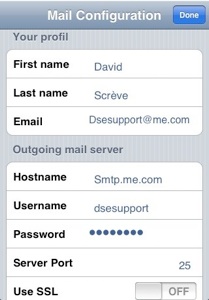
To fill in this form, just copy the mail parameters from your iPhone/iPod touch configuration.
When the configuration is complete, click on “Done” to validate and go to the main screen.
Main Screen
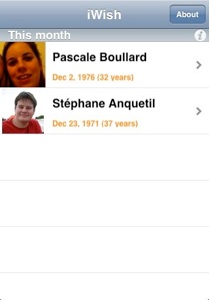
The main screen of iWish displays the birthdays of all contacts that have an email address in your address book, for the current and next month :
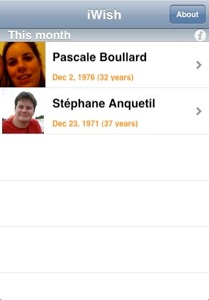
iWish also displays contacts that does not have any email address, but there no arrow on the right side of the line and you cannot send a email to them.
If you click on the name of each contact, you can store you presents idea, make a call or send birthday card.
To send a birthday card to someone, just click on related line, in contact details. You can then select a custom card :
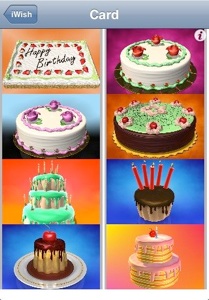
Just click on the cake to select the good one : iWish will automatically add the candles.
The screen below summarize the content of the email :
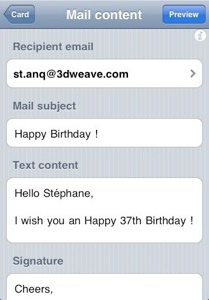
Feel free to change anything that you would like to change or customise.
When everything is okay, click on “Preview” to preview the email :
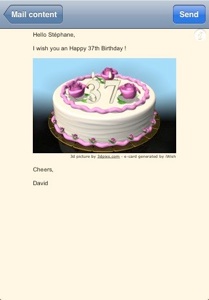
Now, click on “Send” to send the email-birthday card.
That’s all, you can use iWish !
Copyright © 2008-2009 David Scrève
All Rights Reserved